
← ZTools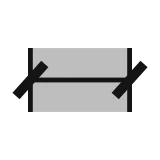
Dimension
zDimLength
Length and perimeter
zDimLength dimensions the length of the curves, faces or meshes you pick. For a face or mesh it takes the boundary and dimensions it segment by segment. A closed circle or a free closed curve gets one perimeter label.
Quick start
- Run
zDimLength. - Select curves, faces, Breps or meshes. Multiple selection, preselection and post-selection all work.
- The dialog opens with a live preview of the dimensions. Adjust the DIMENSION group.
- Mark commits the preview dimensions. Cancel discards them.
Presets
A separate row at the top has three presets, Tiny, Small and Large Object (not part of a group box). Switching the preset resets the default values and the slider ranges of several size fields below, but does not change their hard input limits. The parameters are in three group boxes: TEXT (Unit Format, Text Size, Decimal Places), DIMENSION (Label Offset, Extension Line, Arc Offset) and ARROW (Arrow Style, Arrow Size).
TEXT
- Unit Format: the length unit format of the dimension text (for example feet and inches, or decimal inches).
- Text Size: the height of the dimension text.
- Decimal Places: the number of decimals in the length. All three presets share the same range, which does not change with the preset.
DIMENSION
- Label Offset: how far the text is offset from the dimensioned object.
- Extension Line: how far the extension lines go beyond the dimension line. Unlike the other size fields, its hard upper limit is fixed at 4.00 and is the same for all three presets.
- Arc Offset (with a checkbox): tick it to give arcs their own offset, different from straight segments. When it is not ticked, Label Offset is used.
ARROW
- Arrow Style: None, Arrow, Tick or Dot. The default is Tick.
- Arrow Size: the size of the arrow or tick.
How the settings work together
- Switching the Tiny, Small or Large preset resets the defaults and slider ranges of Text Size, Label Offset, Extension Line, Arc Offset and Arrow Size. You can still type a value outside the visible slider range.
- When Arc Offset is not ticked, it uses Label Offset. Tick it to set it on its own.
Good to know
- Dimensioning a face or mesh dimensions its boundary segments, not the area. To dimension an area, use
zDimArea. - A closed circle or a free closed curve gets one perimeter label (like
P=...), not one per segment. - If you close the dialog without pressing Mark, the tool removes its own layer. If you never marked anything, the layer created for this tool is deleted, provided it really has no other objects in it, so no empty layer is left behind.
- Esc does not close the dialog. Use the X or Cancel.
- New qualifying geometry is picked up automatically. An object created in the scene while the dialog is open that fits the selection is included, with no need to pick again.